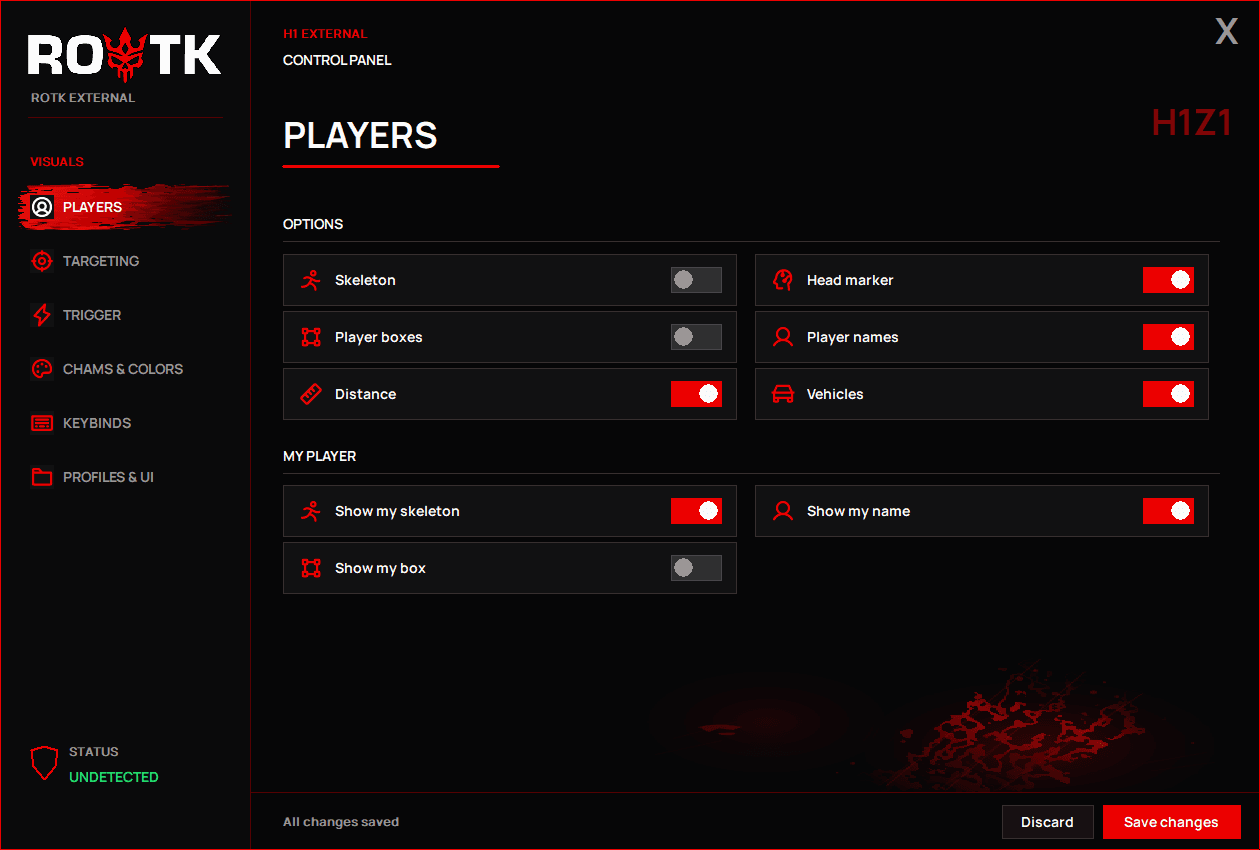
Player & vehicle ESP
Choose the information shown in your overlay.
- Player skeletons, boxes and head markers
- Player names and distances
- Vehicle labels
- Custom colors, line brightness and thickness


H1Z1 / KOTK
ROTK External combines player and vehicle ESP, configurable targeting, smoothing and movement prediction. Keep your overlay off streams and recordings in supported capture software and modes, and customize what you see. External and Internal require separate licenses.
Independent software. Not affiliated with, endorsed, sponsored or authorized by game publishers. Game names and trademarks belong to their respective owners and identify compatibility. Compatibility with community projects does not imply approval by their operators.
Use only where you hold the required rights and permissions, within the permitted purposes in Legal info. For game developers, QA teams and security researchers. Check the required rights over the game client, server and affected services before use; owning a private server alone is not enough. Use the product only in an authorized test environment that meets the conditions in Terms. All products are licensed for authorized development, QA and security or game-integrity testing only, not ordinary gameplay, ranked play or HvH matches. These restrictions also apply to trials. Purchases are 18+. Detection and bans remain possible.
访问周期
仅在付款确认并获得服务器授权后开始计时。
Instant accessAfter payment
Secure payment银行卡和加密货币
Olymp Cheats launcherPlug & play
Choose the information shown in your overlay.
Set your activation key and aiming preferences.
Fine-tune movement prediction.
Keep your configuration on this computer.
FAQ
Create an account, open the ROTK page, pick an access period and complete checkout. Access is activated instantly after confirmed payment. The product appears in your Olymp account when access is activated.
ROTK is sold per access period: 24 hours, 7 days, 30 days or 90 days, depending on the product. ROTK Spoofer retains a lifetime option. Current prices are shown on this page and at checkout.
The available payment methods are shown at checkout. Access is activated instantly after confirmed payment.
Only Olymp Launcher, a single portable file with no installer. Sign in, choose ROTK and the launcher downloads and keeps the product up to date.
Access is bound to your account and one device by default. You can review and remove devices from your account page; additional device slots depend on your plan.
Support runs through the Olymp Discord. Compatibility requirements and known limitations for each release are listed on the Compatibility page before you buy.